1. 查询列表
1.1. 概念
元模板
元模板指满足系统基本要求的最小化模板,由此类模板可以通过平台机制,扩展模板内容和样式。
1.2. 1.PC
1.2.1. 1.1.列表式模板
使用方法:
将元模板内容拷贝至编辑器中,点击拆分视图,点击table 按钮,弹窗列选择页,勾选和调整内容即可。
元模板内容:
<table cellspacing="0" cellpadding="0" style="white-space: nowrap;width:100%;" border="0" id="tb_main" class="tablesimple b0 done initialtable" pagesize="10" pagecount="20" tableident="" sql="">
    <tbody name="title">
        <tr class="firstRow">
            <td nowrap="" name="order" style="width:40px;">
                序
            </td>
            <td nowrap="">
                日期
            </td>
            <td nowrap="">
                编号<br/>
            </td>
        </tr>
    </tbody>
    <tbody name="details">
        <tr value="{ord_id}" ondblclick="toggleselect(this)">
            <td align="center" nowrap="" onclick="toggleselect(this)">
                {order}
            </td>
            <td nowrap="" fmt="yyyy-mm-dd" name="ord_date">
                {ord_date}
            </td>
            <td nowrap="" name="ord_no">
                <a href="javascript:g0()" onclick="disp1order('{ord_id}')">{ord_no}</a>
            </td>
        </tr>
    </tbody>
</table>
选择列
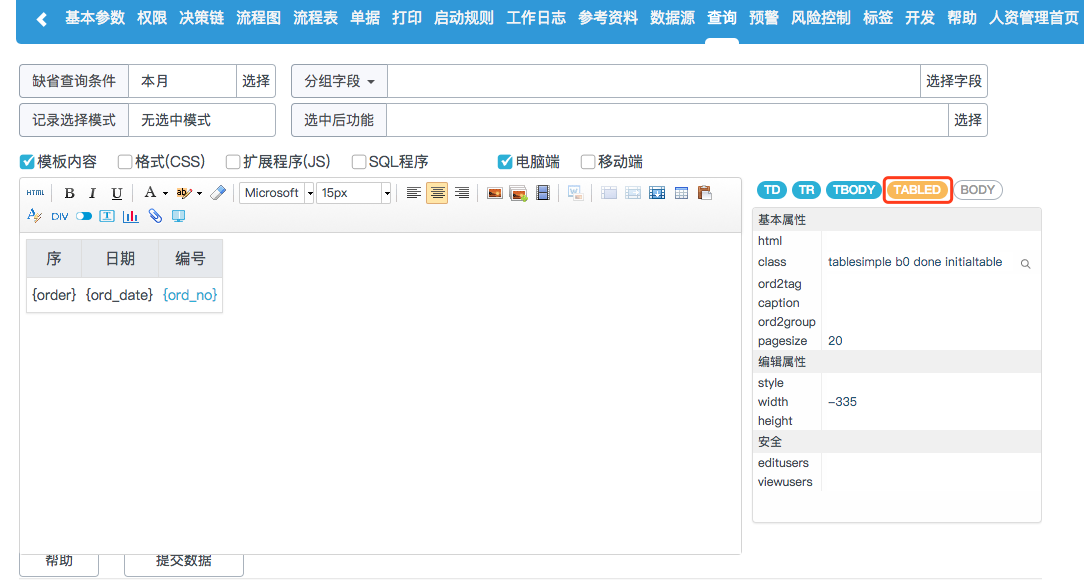
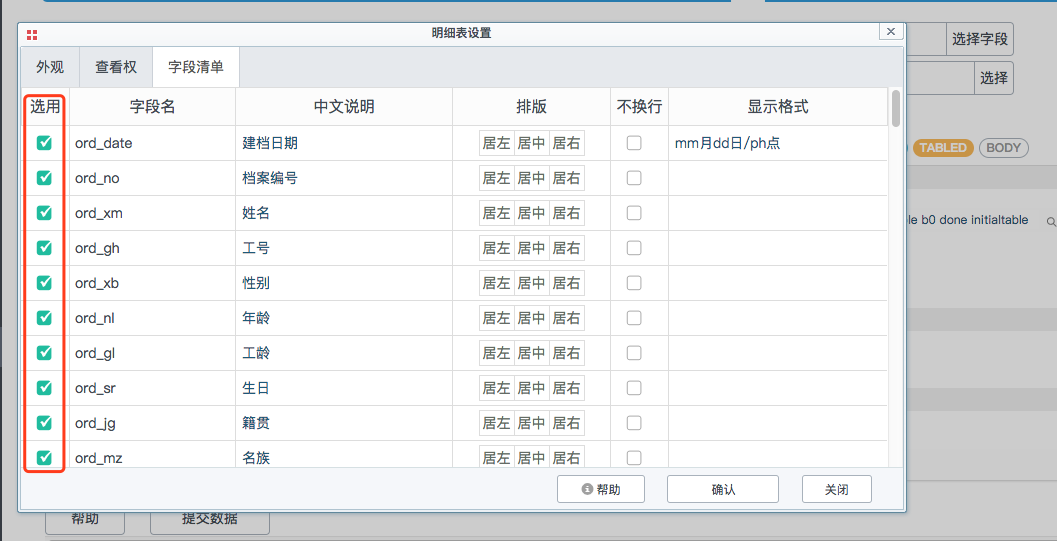
可根据屏幕高度计算出每页最佳的显示行数:autopagesize="0",此时pagesize="10"无效。另外pagecount="20"设置页数
- css
当列表字段过多时,需要加上x轴上的滚动条,其css代码如下
#tb_ma1in,ta1ble{
    white-space: nowrap;
    width: 100% !important;
}
1.2.2. 2.项目式模板
1.2.3. 3.查询列表数据下载
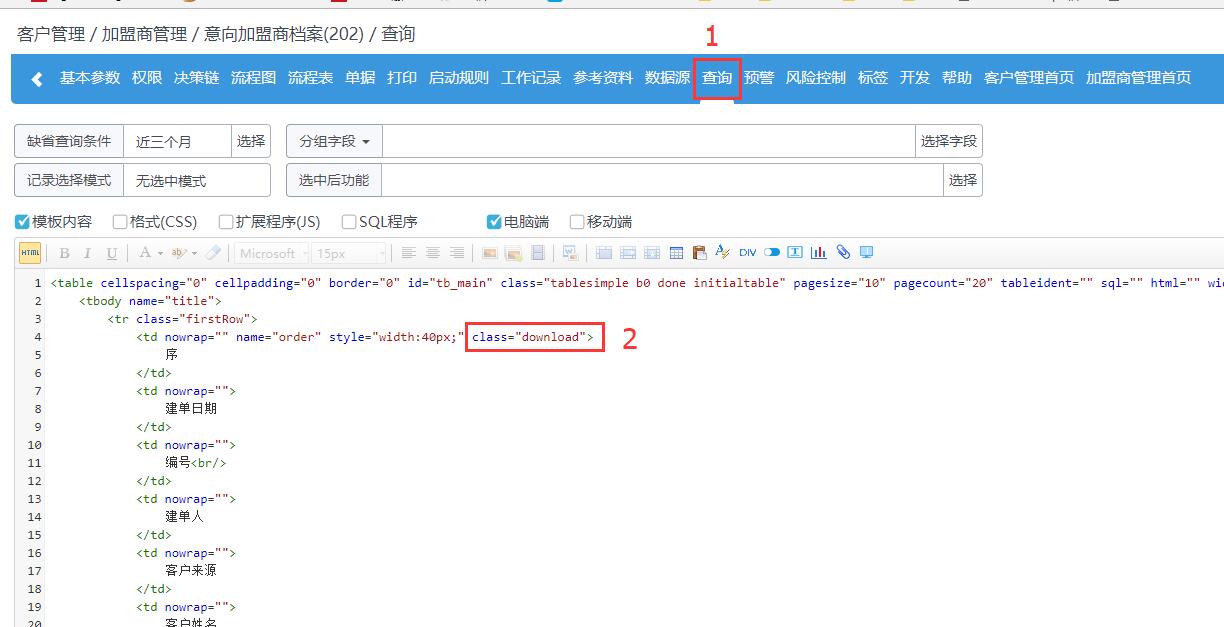
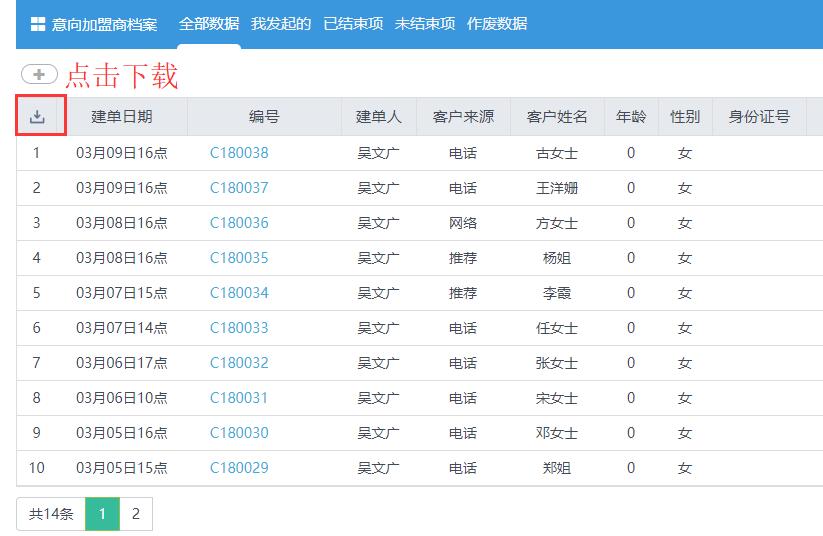
在表单——>查询列表中配置 添加一个class属性,属性值为download class="download"
2. 2.手机移动端
查询模板
<table cellspacing="0" cellpadding="0" border="0" id="tb_main" class="tablenone initialtable" style="WIDTH:100%;white-space:nowrap;over-flow:hidden" pagesize="10" pagecount="100" tableident="">
    <tbody name="details">
        <tr value="{ord_id}" class="gap firstRow" onclick="disp1order('{ord_id}','{ord_title_raw}')">
            <td align="center" valign="top" style="padding-left:8px;padding-top:12px;padding-bottom:10px;width:40px;">
                {_ord_createcuid_s1}
            </td>
            <td style="padding:13px 0 13px 5px" valign="top">
                <div name="topitem" nowrap="0" style="float: left;font-size: 16px;font-weight: bold;width: calc(100% - 50px);overflow: hidden;text-overflow: ellipsis;">
                    {ord_title}
                </div>
                <div style="float:left;color:#666;font-size:14px;font-weight:bold;width: calc(100% - 50px);overflow: hidden;text-overflow: ellipsis;">
                    {ord_date}
                </div>
                <div style="float:left;color:#666;font-size:14px;font-weight:bold;width: calc(100% - 50px);overflow: hidden;text-overflow: ellipsis;">
                    {ord_createdepart} <span>/</span> <span>{ord_creator}</span>
                </div>
                <div style="float:left;color:#666;width: calc(100% - 50px);overflow: hidden;text-overflow: ellipsis;">
                    <span>{ord_no}</span><span>/</span>{ord_status}
                </div>
            </td>
        </tr>
    </tbody>
</table>